MiniDV Digitizing in London, Ontario
The camcorders that play these tapes are aging out — and when the hardware is gone, so is your footage.
500+ tapes digitized since 2019 · Near Oxford & Wonderland, London ON
What a MiniDV tape looks like.
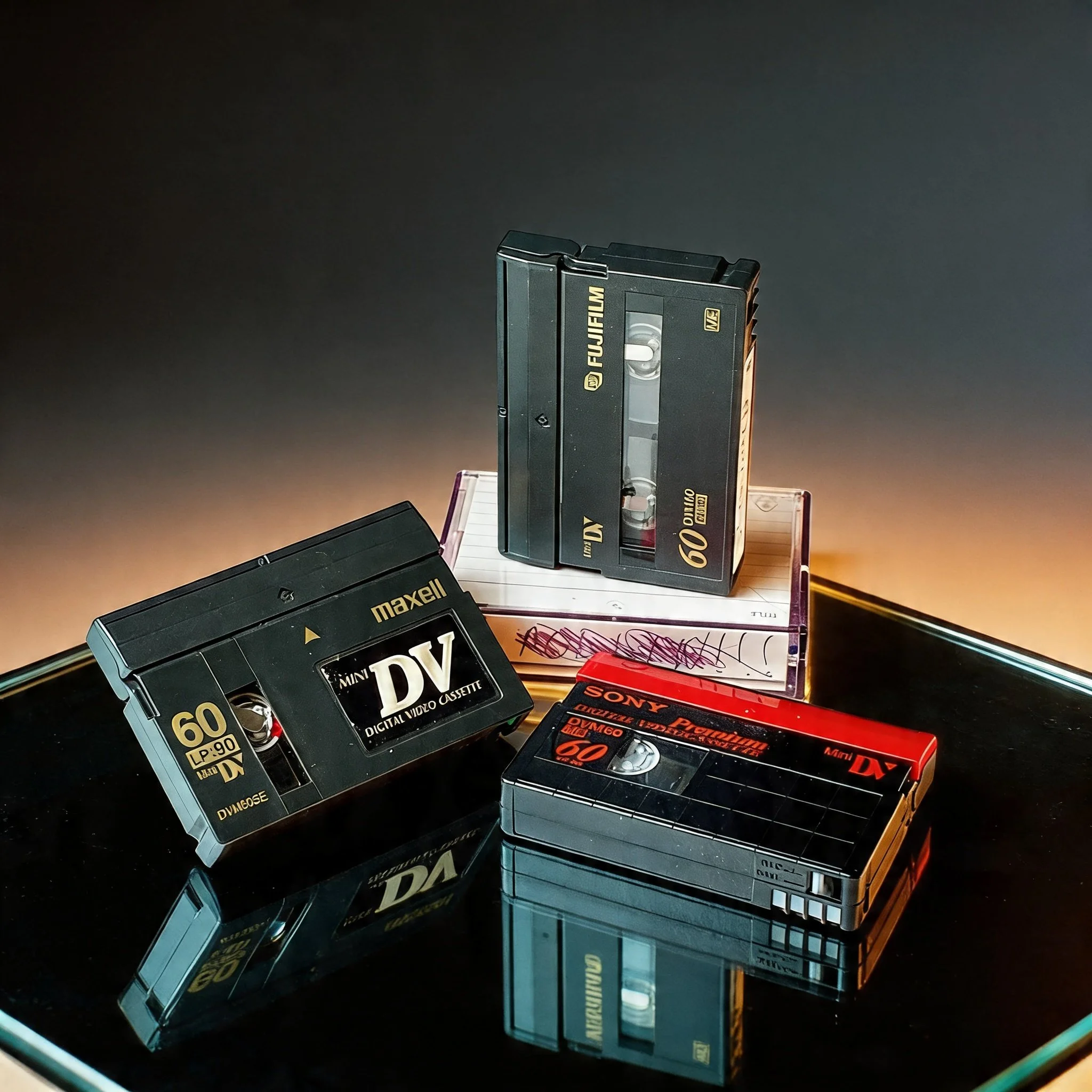
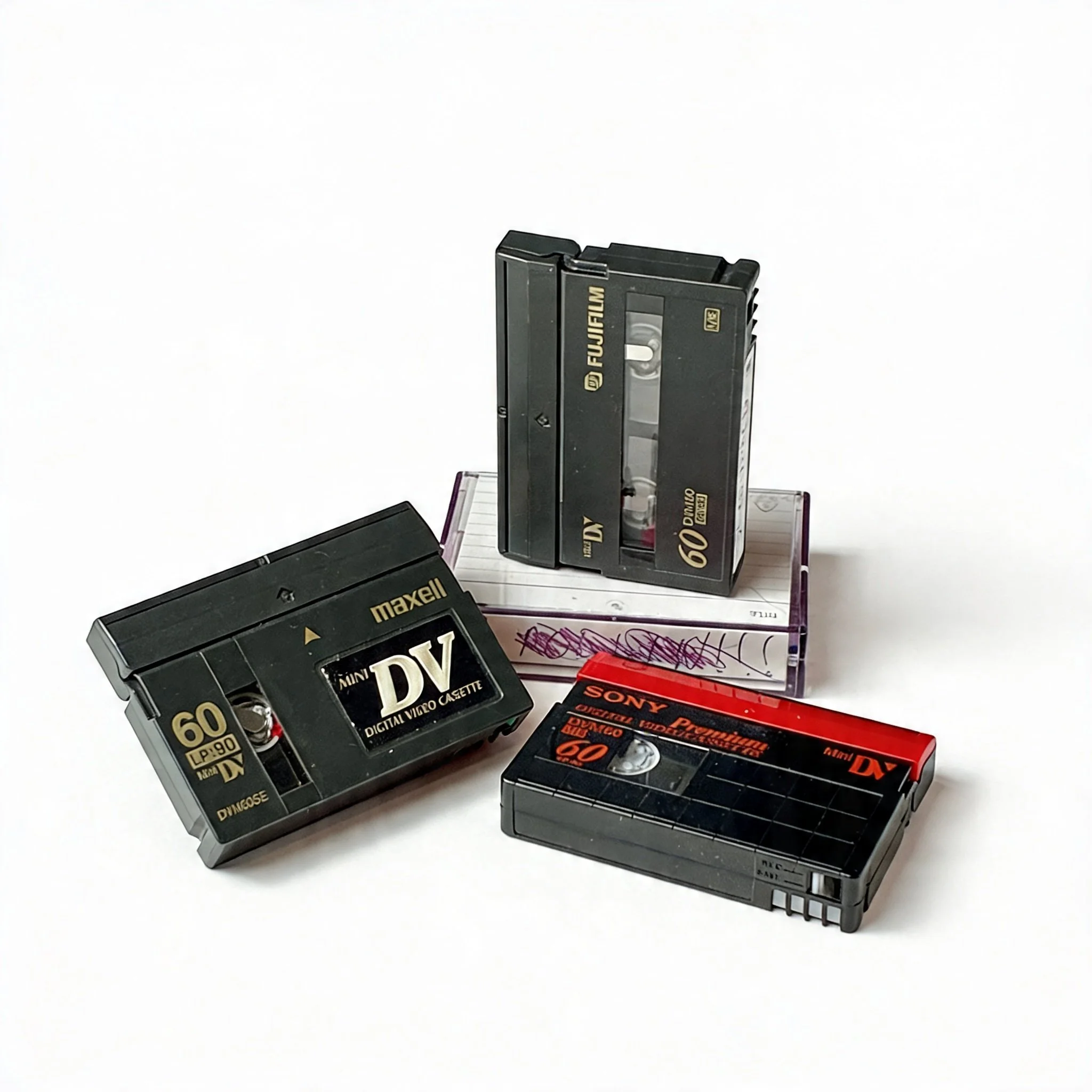
MiniDV is a small digital video cassette — roughly the size of a matchbox, about 66mm × 48mm × 12mm. It's noticeably smaller than a VHS-C tape and considerably smaller than a full-size VHS.
The cassette shell is usually dark grey or black, with a small sliding door or hinged flap protecting the tape opening. Look for "MiniDV" or "Digital Video Cassette" printed on the label or moulded into the shell. The recording time — typically 60 min SP or 90 min LP — is usually printed on the label as well.
Common brands: Sony, Panasonic, JVC, Canon, TDK, Fuji, Maxell, and BASF. Sony tapes often come in blue-and-white packaging; Panasonic in grey and white.
MiniDV was used in consumer camcorders from the mid-1990s through roughly 2010. If your footage is from a handheld digital camcorder from that era, these are almost certainly the tapes.
The Moments People Find on MiniDV Tapes
MiniDV was the format that put a real digital video camera in the hands of everyday families. From the late 1990s through the mid-2000s, if someone was filming something that mattered, this was likely the tape in the camera.
First steps, first birthdays, and early childhood years
Weddings and rehearsal dinners
Family vacations and road trips
School plays, graduations, and recitals
Holiday gatherings across years and decades
Home movies of people who are no longer here
Early footage of kids who are now adults
MiniDV was also the format used by early YouTube-era videographers, small news operations, and independent filmmakers — so some tapes contain work that never got a second copy.
MiniDV Is Digital — But That Doesn't Mean It Lasts
A lot of people assume MiniDV tapes are safe because digital is more durable than analog. That's not quite right. The data is digital, but it's still stored on magnetic tape — and magnetic tape degrades.
What's different is what degradation looks like. On a VHS tape, a failing signal shows up as fading colour or wavering lines. On a MiniDV tape, it shows up as blocky digital artifacts — frozen frames, corrupted macroblocks, chunks of the picture replaced with noise. Sometimes the deck throws an error and stops reading the tape entirely. The digital cliff is real: a tape can look perfect right up until it doesn't.
MiniDV tape is also extremely thin and narrow — about 6.35mm wide — which makes it physically fragile. A single dropout caused by a piece of debris or a worn playback head can corrupt multiple frames at once.
Then there's the hardware problem.
MiniDV camcorders connect to computers via FireWire (IEEE 1394) — a port that has been largely absent from laptops and desktops for over a decade. Fewer and fewer working camcorders remain, and the ones that do are thirty years old. Worn transport mechanisms, failing pinch rollers, and dirty heads are common — and a degraded camcorder playing a marginal tape can cause damage that clean equipment would have avoided.
Every year, more of the playback hardware disappears. The tapes don't have to fail for the footage to become inaccessible.
The footage is there. The window to get it out is closing.
Straightforward pricing. No surprises at pickup.
$50 per tape covers up to 2 hours of content, with a USB stick included. Most MiniDV tapes run 60 minutes at SP — well within the base rate. LP recordings run up to 90 minutes, also covered.
| Tapes | Discount |
|---|---|
| 1–9 tapes | Standard rate |
| 10–19 tapes | 10% off |
| 20+ tapes | 15% off |
Discounts apply to the base rate. Overage charges are separate.
What happens to your tapes.
Step 1 Drop off your tapes Book a slot online. You'll get a confirmation with the drop-off address near Oxford & Wonderland. No shipping — everything stays local.
Step 2 We digitize by hand Each tape is played back in real time on calibrated equipment. There's no batch processing — your tapes are handled individually and inspected before and after transfer.
Step 3 Pick up your files Your digitized video is delivered on a USB stick (included in the price). Video files are MP4 — playable on any modern device. Cloud delivery via Dropbox is available on request.
Common questions about MiniDV tapes.
-
Maybe — but there are a few risks worth knowing. Consumer MiniDV camcorders connect to computers via FireWire, a port that's been removed from most laptops and desktops for years. You'd also need capture software that can handle the DV stream, and the camcorder's playback mechanism needs to be clean and in good working order. A worn or dirty camcorder playing a marginal tape can cause dropout or physical damage. If the camcorder is working well and you have the right setup, it's possible. If there's any doubt about the hardware, it's worth having someone handle it properly.
-
Those are digital dropout artifacts — sections of the tape where the signal couldn't be read cleanly, and the decoder filled in the gaps with corrupted data. Some dropout is recoverable with proper equipment and technique; severe dropout indicates physical tape damage that may not be fully correctable. The sooner a tape is handled, the better the odds. Continued playback on worn equipment usually makes it worse.
-
Significantly, yes. MiniDV records a true digital signal — no generation loss, no analog noise, no colour bleeding. The image is sharp, the audio is clean, and the quality holds up well when you transfer to MP4. If your footage is on MiniDV, what comes back to you will look close to what was recorded, assuming the tape itself is in good shape.
-
HDV (High Definition Video) was recorded on standard MiniDV cassettes using a higher-bitrate codec. The tape looks identical from the outside. We can handle HDV tapes; just mention it when you drop off if you know, so we can ensure the output captures the full resolution. If you're not sure, don't worry — we'll identify it during playback.
Booking takes 2 minutes.
Your tapes are waiting.
Questions first? Call or text (226) 378-4695 · cygnalsmultimedia@gmail.com